
Billing is in Settings → Plan & billing. Only owners and admins can see it, change the plan and pay. Only owners can cancel.
The free trial
Every new workspace starts with a 7-day free trial. No card needed. Plan & billing shows how many trial days are left, and owners and admins see a banner at the top of the app with a Choose a plan button.
Prices
| Monthly | Annual | |
|---|---|---|
| Solo (first seat) | $89 | $890 |
| Each extra advisor | $59 | $590 |
Prices are in Canadian dollars, billed in advance, plus tax. Owners, admins and advisors are paid seats. Assistants are free. Large team? Contact us for a discount.
Choose a plan
- Go to Settings → Plan & billing.
- Under Your plan, pick Monthly or Annual (annual is marked "2 months free").
- Choose your Billing province (for sales tax). You'll then see the amount with tax, and Next invoice shows what's due.
- Click Add payment card. It works once you've picked a province. You type the card into our payment processor's secure form. PolicyStream never sees or stores the card number.
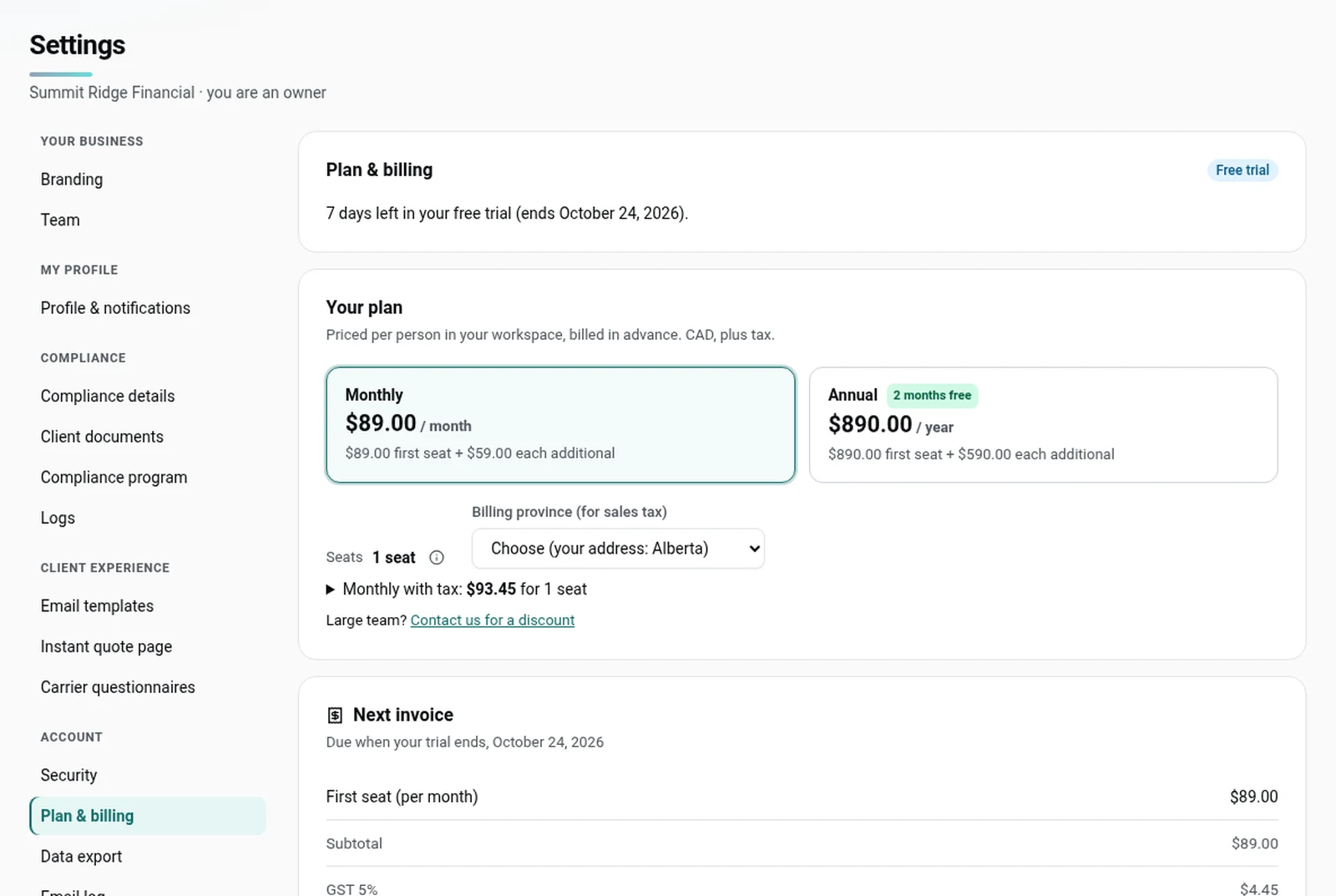
If you add a card during your trial, nothing is charged until the trial ends. Then your plan starts and the card is charged.
Switching between monthly and annual on a running plan takes effect at your next renewal.
Adding and removing seats
Billing is prorated by month, never by day.
- Monthly plan: a seat added during the month costs $59 for that month, whatever day you add it.
- Annual plan: a new seat is charged for the whole months left in your year.
The extra amount goes on your next invoice. A seat you remove (or an advisor you turn into an assistant) has no credit. It drops off at your renewal.
Invoices and receipts
Every invoice is listed under Invoices, with a PDF button to download it. After each payment we also email a receipt.
If a payment fails
- We try the card again 1, 3 and 7 days after the due date, and email the owner after each failed try. If the card was refused for good (for example, it expired or was reported lost), we don't retry it: you need to add a new card.
- You keep full access for 14 days after the due date. A banner shows the days left.
- After that, sign-in is locked for everyone until the invoice is paid. Links you've already sent to clients keep working.
To fix it, owners and admins click Update payment in the banner (or go to Settings → Plan & billing). Then click Pay now to charge the card on file, Replace card to use a different one, or Add a new card if the card was refused for good. Paying unlocks the workspace straight away.
Cancel your plan
Owners can click Cancel plan, then confirm. Your plan ends at the end of the paid period (or trial). There's no renewal and no refund for the time left. If you added seats during that period, they go on one final invoice. Everyone keeps full access until then. Changed your mind? Click Resume plan before the period ends.
Export your data
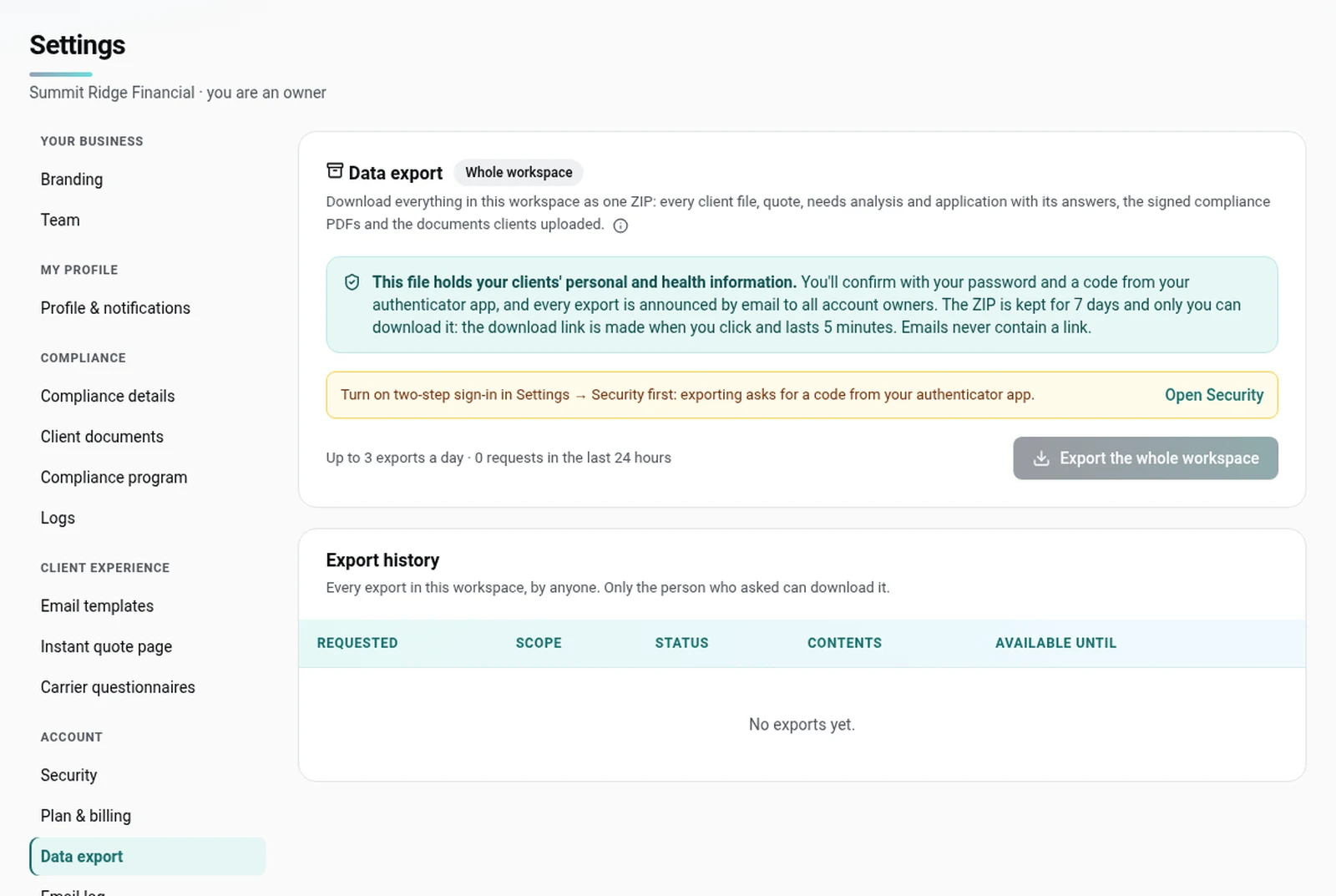
Go to Settings → Data export. Owners and admins click Export the whole workspace. Advisors click Export my clients. Assistants can't export. You need two-step sign-in on: enter your password and a code from your authenticator app, then click Confirm and export. We email you when the ZIP is ready, then you download it from the same page. It's kept for 7 days, and you can ask for up to 3 exports a day.
If your plan is cancelled or you close your workspace, owners and admins can still export for 30 days after access ends.
Good to know
- If your trial ends with no card on file (or the card can't be charged), sign-in is locked until an owner or admin chooses a plan. Nothing is deleted, and links you've already sent to clients keep working.
- Sales tax is worked out from your billing province.
- Closing the workspace for good is a separate step in Settings → Workspace (owners only). It deletes everything after a 30-day export window.
Still stuck? Email [email protected].